· Prismiq Pro · Insights · 4 min read
Muse: Turn a Script Into a Storyboard and Shot List
It starts with the story.
Not with a camera, a location, or a crew. Muse begins where the work really begins, with your script. You write the story, and Muse reads it the way a director would, then renders the whole piece as a storyboard: every scene, every shot, the camera and composition, and a shot list you can hand to a crew. This post is a precise account of what it does, because the capability is worth putting on the record.
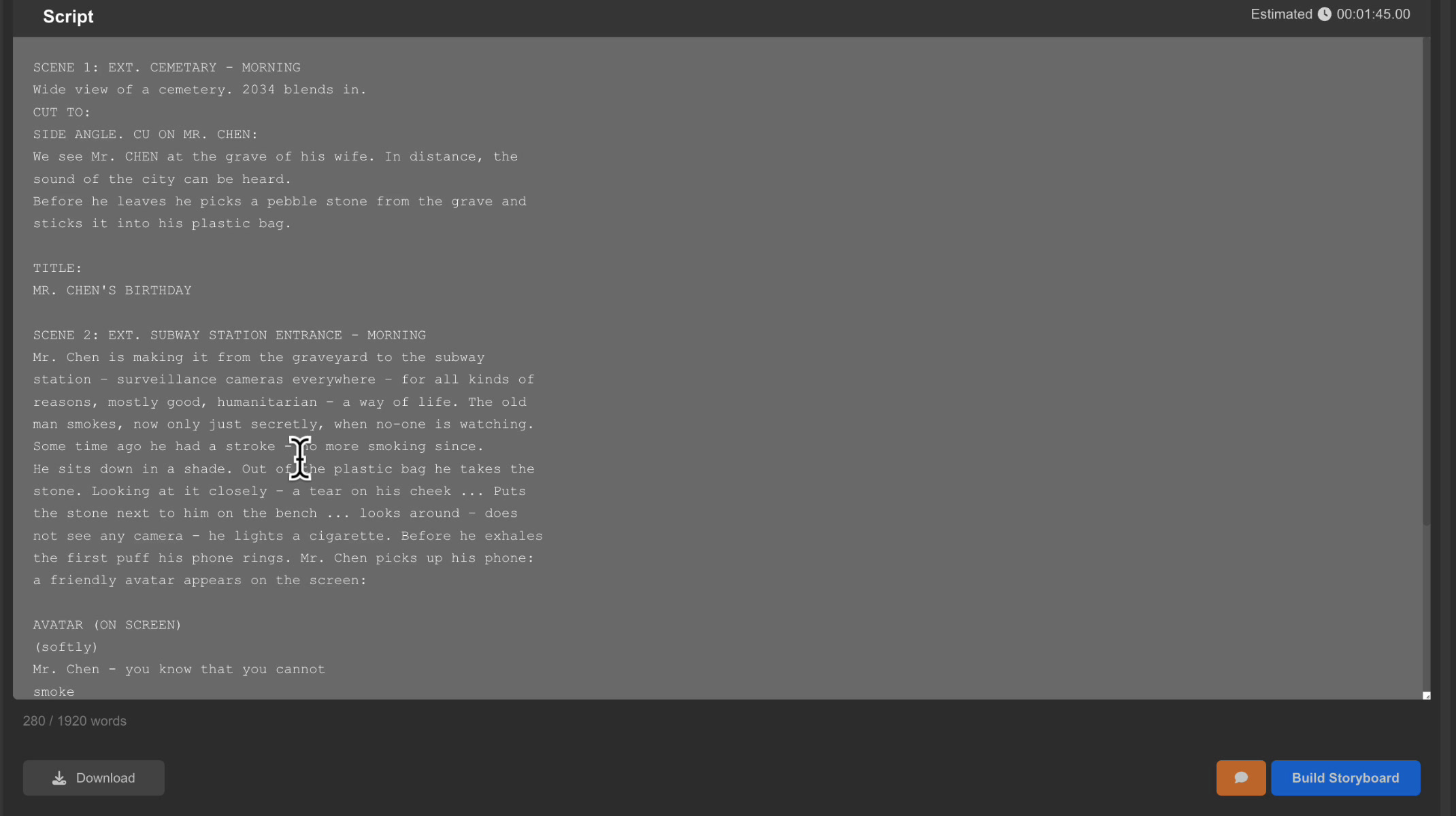
From a script to a shot list, automatically
The claim is simple and we want it on the record: give Muse a screenplay, and it returns a complete, shot-by-shot storyboard without a camera, a location, or a crew. You write the story. Muse works out how it should be seen.
Point it at a script, choose a narrative structure, set a target duration, and press Build Storyboard. What comes back is not a summary or an outline. It is the film, pre-visualized, scene by scene and shot by shot.
How Muse reads a script
Muse parses a screenplay into its structural units: scenes, and within each scene, individual shots. It recognizes scene headings, action, dialogue, and title cards, and it understands the beats inside a scene the way a director breaks a page down before a shoot.
A script that opens on a cemetery at morning, cuts to a close-up at a gravestone, then moves to a subway entrance, becomes an ordered sequence of discrete shots, each one isolated, timed, and ready to be visualized.
It generates the storyboard
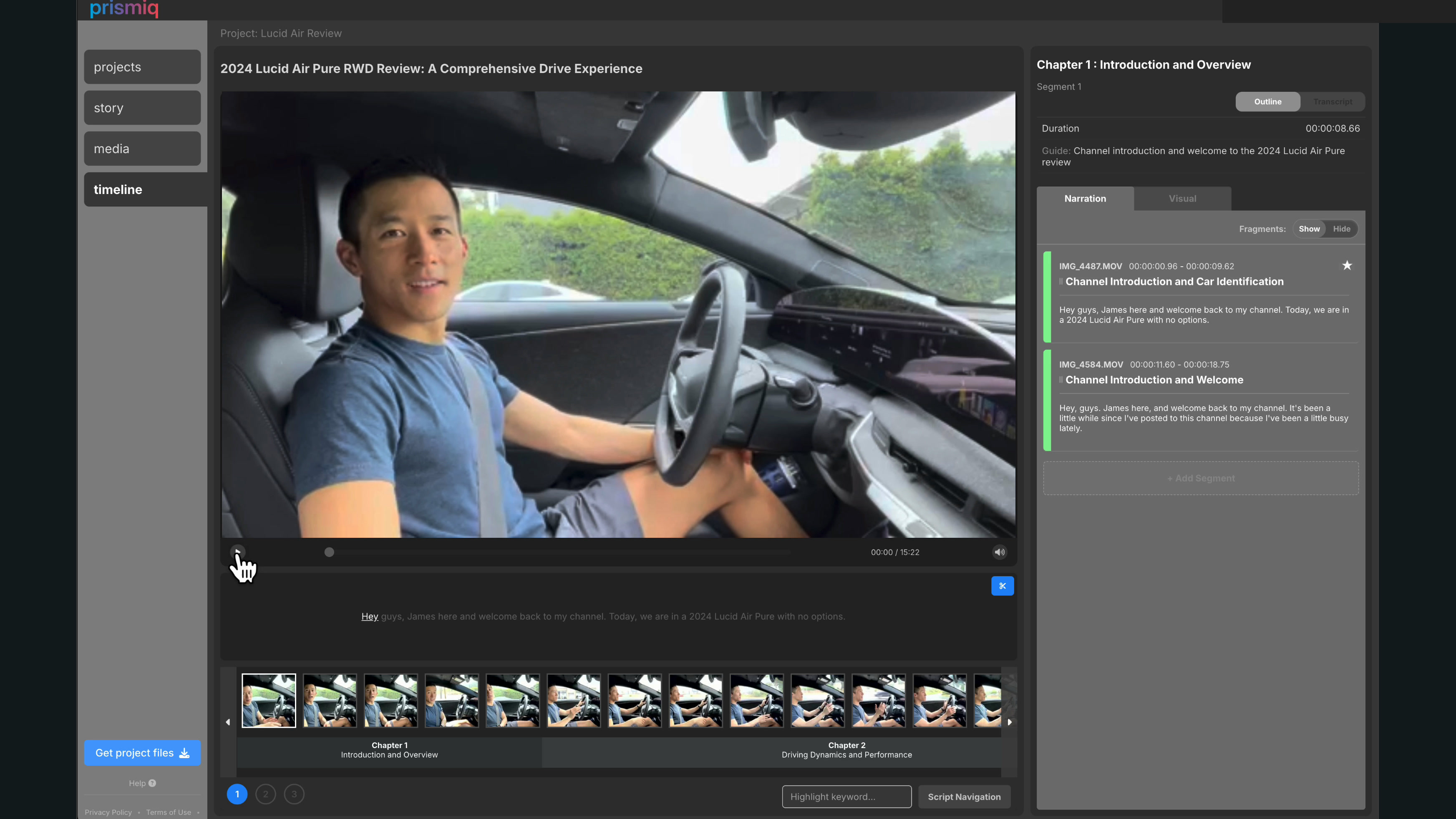
For every shot, Muse generates a representative frame. Not a rough sketch, but a composed image that matches the intent of the writing: the title card rendered in bold type, the character at the grave, the figure on the platform. Scene by scene, the storyboard assembles into a watchable pre-visualization, with a filmstrip of every shot and a running preview.
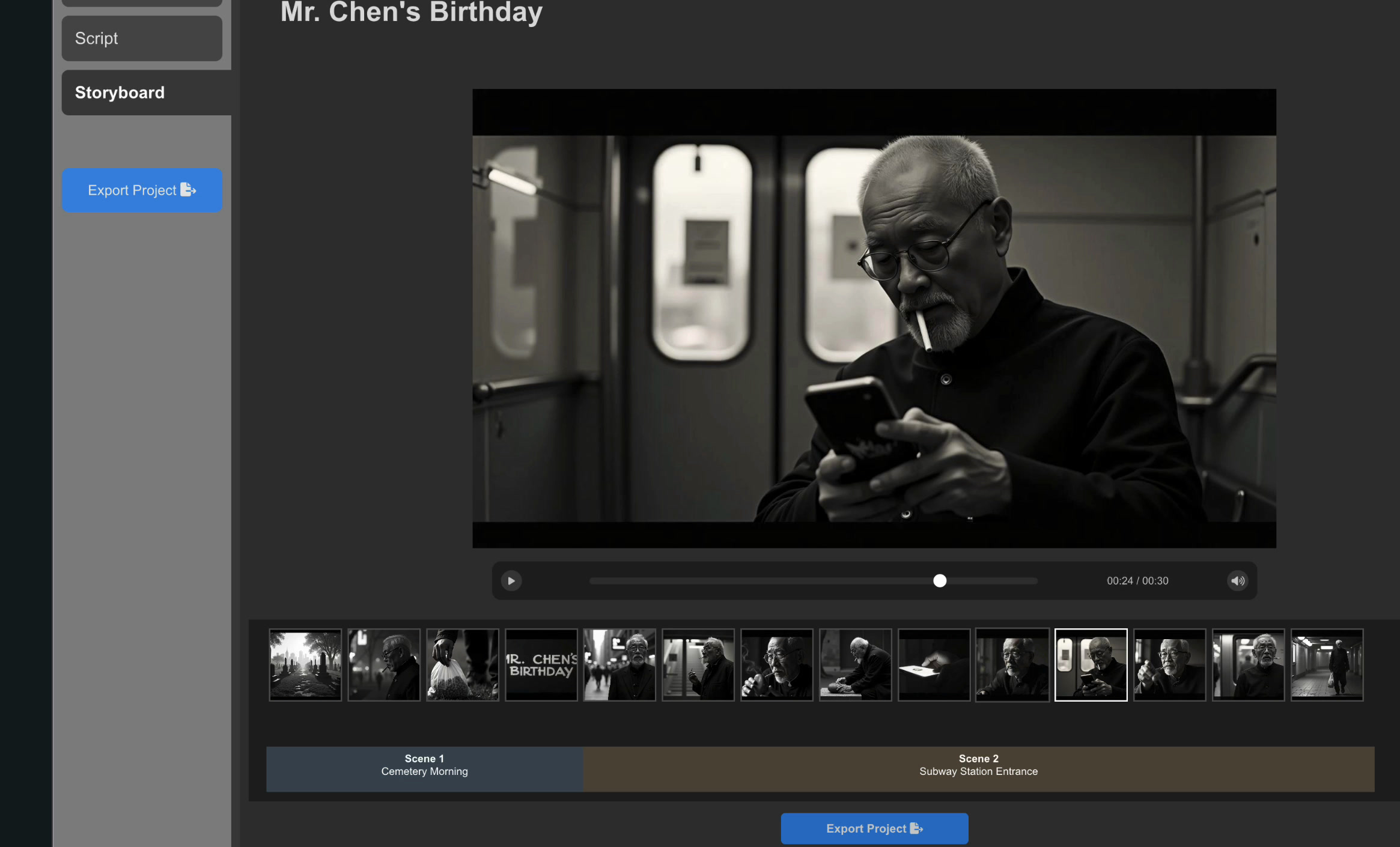
Every shot, described the way a director would
This is the part that makes it a production tool and not a toy. For each shot, Muse produces a full breakdown:
- Dialogue and the duration of the shot
- Shot details, a plain-language description of what happens on screen
- Camera: shot type, cinematography, and composition
- Scene: setting, subject, subject gaze, and the key elements in frame
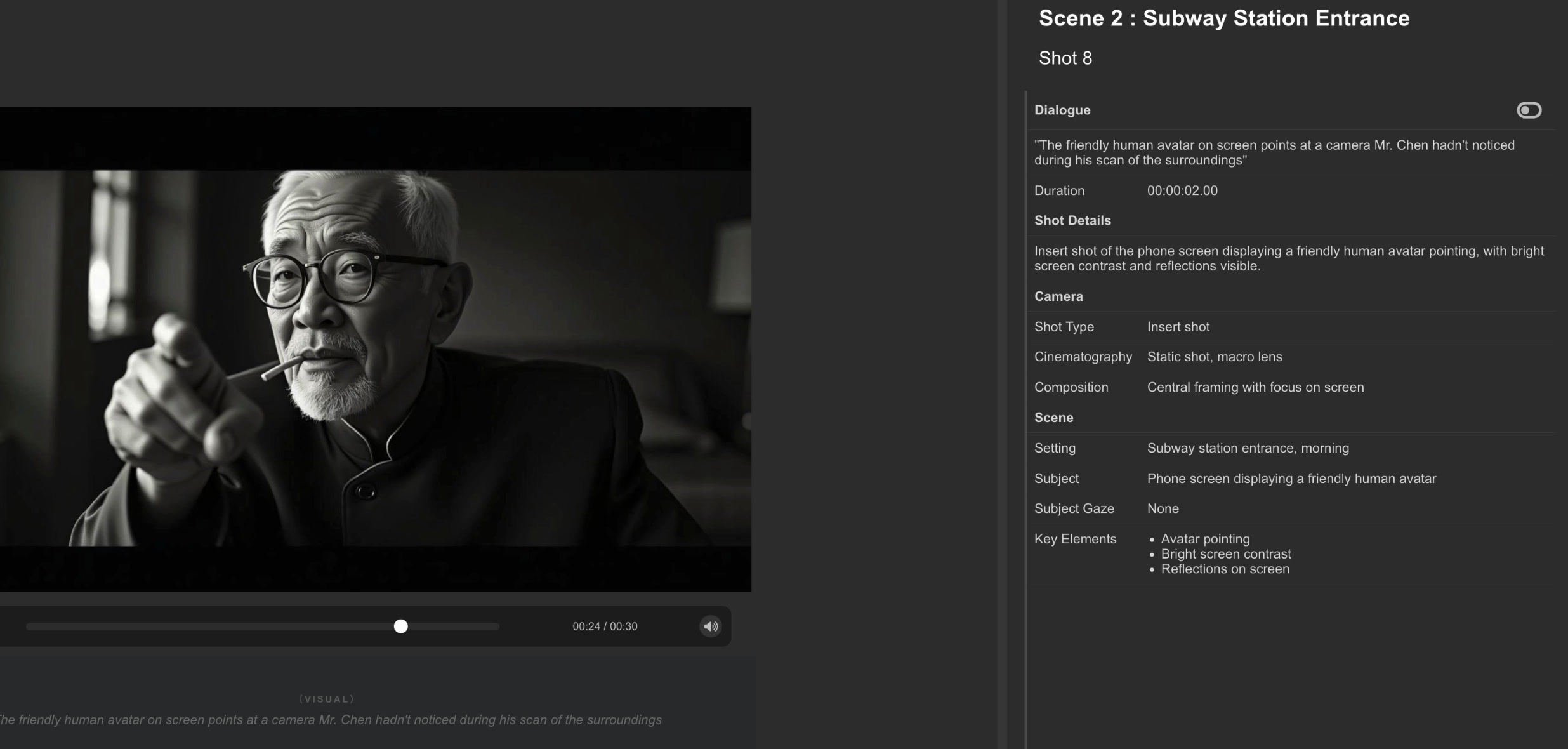
So a single title card does not come back as “title card.” It comes back as a title-card shot, static graphic display, centered text with balanced negative space, two seconds long, with bold typography and soft ambient music noted as key elements. That is a machine reading a script the way a director reads it, and writing the shot list for you.
Export to your production pipeline
A storyboard that lives only inside an app is a dead end, so Muse exports. Project out, and you get a shot-list document plus a structured file for the rest of your pipeline, ready to guide a shoot or feed an edit.
What this unlocks
The expensive, slow part of filmmaking is not the typing. It is everything between the idea and the first usable frame: breaking the script down, planning coverage, drawing boards, writing the shot list, aligning a crew on what each shot is for. Muse collapses that into a single pass. You see the film before you commit a dollar to making it, and you can change the idea while it is still cheap to change.
Muse answers the question you face before you shoot: what should this look like? Later we built the other half, a video editor that answers the question you face after you shoot, how do I assemble what I filmed. That is a story for another post.
Built by developers who love the craft.
Robert & Michael